

I’ve spent a good chunk of my career building and managing survey programs, and LimeSurvey came up in almost every early-stage conversation. It’s free, open-source, and requires a developer and a server to maintain.
Most teams I’ve worked with don’t have either. They need to build a survey, get it out in under an hour, and come back to results they can actually read and act on.
That’s what pushed me to evaluate alternatives to LimeSurvey more seriously.
This list covers the 10 tools I’ve tested directly or vetted through conversations with people running them in real survey programs. I’ll be straight about what each one does well and where it falls short.
Why Are Teams Looking for LimeSurvey Alternatives?
I’ve seen it work well in two specific contexts: nonprofits that can’t justify per-user licensing fees, and academic institutions with IT departments that handle the server side.
Outside of those, the friction becomes apparent quickly.
Here’s what I’ve consistently heard from teams who moved away from it:
Setup Requires a Developer: LimeSurvey’s self-hosted model means someone on your team owns the installation, server configuration, and ongoing maintenance.
Conditional Logic Is Unnecessarily Complex: Setting up branching logic in LimeSurvey takes significantly longer than in most commercial alternatives.
No Native NPS or CSAT Framework: LimeSurvey doesn’t have a dedicated Net Promoter Score survey module or Customer Satisfaction Score templates out of the box. Teams running structured CX or employee listening programs end up building these manually every time.
Reporting Needs Work Before It’s Presentable: The raw output from LimeSurvey’s reports often requires reformatting before it can go in front of a leadership team or a client. Most SaaS alternatives generate presentation-ready dashboards without any post-processing.
The UI Hasn’t Kept Pace: Capterra reviewers consistently flag the interface as dated, especially for respondents taking surveys on mobile. Response quality drops when the survey experience feels clunky.
None of this makes LimeSurvey a bad tool. It makes it the wrong tool for teams that have outgrown the technical overhead or never had the capacity to manage it in the first place.
That’s the gap the alternatives below are built to fill.
The 10 Best LimeSurvey Alternatives I’ve Tested and Vetted
I used ProProfs Survey Maker and Qualaroo directly across multiple survey programs. I’ve also run Google Forms and Paperform in real workflows. For the rest, I spoke with HR leads, product managers, and CX teams who use them in production.
Here are the top 10 LimeSurvey alternatives:
| Tool | Best For | Capterra Rating | Starting Price |
|---|---|---|---|
| ProProfs Survey Maker | AI-powered surveys, scored assessments, NPS | 4.8/5 | Free; paid from $19.99/month |
| Qualaroo | In-context, behavioral website and app feedback | 4.7/5 | Free; paid from $19.99/mo |
| SurveySparrow | Conversational surveys, omnichannel CX programs | 4.4/5 | Paid from $19/mo |
| Google Forms | Free, basic surveys for small teams | 4.7/5 | Free |
| SurveyPlanet | Multi-language surveys, simple ongoing campaigns | 4.6/5 | From $20/month |
| Cognito Forms | Forms with payments and e-signatures | 4.6/5 | From $19/mo |
| SurveyLegend | Data analysis and visual reporting depth | 4.6/5 | From $15/mo |
| Microsoft Forms | Microsoft 365 Teams, simple quizzes, and polls | 4.6/5 | From 99.99/year |
| Paperform | Registrations, payments, and feedback in one tool | 4.8/5 | From $24/mo |
| Zoho Survey | Mid-market research, Zoho ecosystem users | 4.6/5 | $7.23/month |
1. ProProfs Survey Maker – Best for Easy-to-use AI-powered surveys, scored assessments, and NPS
I’ve built NPS programs and employee engagement surveys on ProProfs Survey Maker, and the speed from blank screen to live survey is something I didn’t fully appreciate until I compared it side by side with other tools.
The ProProfs AI survey builder is the feature that surprises people most. I describe a survey goal in plain language, and it generates a complete survey with branching logic in seconds.
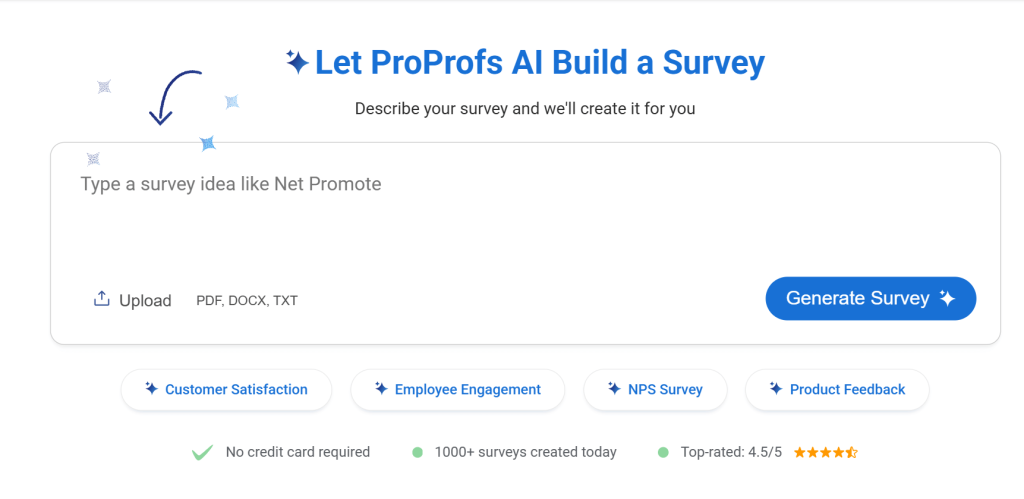
For an HR manager running a quarterly engagement cycle or a consultant building a scored discovery assessment, that removes the blank-page problem entirely.
What makes it a particularly strong LimeSurvey competitor is the scored survey workflow. LimeSurvey doesn’t offer this natively, and it’s exactly what teams running lead qualification, coaching programs, or HR assessments need.
How ProProfs Survey Maker Compares to LimeSurvey: LimeSurvey requires a server, a developer, and manual setup for most advanced workflows. ProProfs Survey Maker delivers AI-powered survey creation, native NPS and CSAT frameworks, scored surveys, and 70+ language support from a browser tab, with no installation or IT involvement.
Pros:
- AI-powered survey creation from a plain-language prompt
- 100+ professionally designed templates covering NPS, CSAT, CES, employee engagement, and market research
- Skip logic and branching for adaptive, respondent-specific survey flows
- Scored surveys with custom result pages for assessments and lead qualification
- 20+ question types, including ranking, slider, NPS scale, and visual questions
- 70+ language support for global survey campaigns
- Integrations with Salesforce, HubSpot, MailChimp, Zendesk, and Zapier
- GDPR and ADA compliant, with SSO available on enterprise plans
- White label option for agencies and consultants managing client-facing surveys
- Sharing options available, like link via email, social media, or embedding it on your website
Cons:
- The dark mode is not available for late-night workers
- A dedicated onboarding manager is only available on paid plans
Pricing: Free plan available with all premium features. Paid plans start at $19.99/month (per 100 responses, billed annually).
User Rating: 4.8/5 (Capterra)
2. Qualaroo – Best For Easy In-Context, Behavioral Website and App Feedback
I’ve had Qualaroo running in product feedback workflows, and the difference in response quality compared to post-session surveys is immediate.
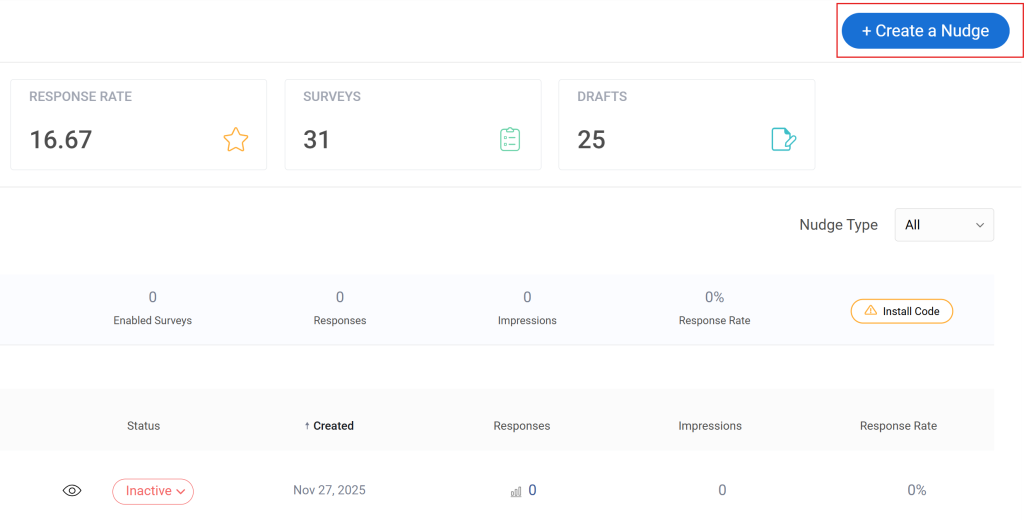
Most platforms push a message out after the experience ends. Qualaroo captures the response while the user is still inside it.
The mechanism is a Nudge, a lightweight survey prompt triggered by behavior: time on page, scroll depth, specific URLs, exit intent, or device type.
I’m asking users right now, in context, which means the data is sharper and far more representative of actual intent. The AI sentiment analysis layer is what makes it operationally useful at scale. Open-ended responses are automatically categorized and scored.
How Qualaroo Compares to LimeSurvey: LimeSurvey collects structured survey data after the fact. Qualaroo captures why users behave the way they do while they’re doing it. If your team is constantly guessing at drop-off reasons or running A/B tests without understanding the underlying intent, Qualaroo fills the gap that LimeSurvey can’t touch.
Pros:
- Behavior-based and URL-specific targeting for precise, contextual survey placement
- AI sentiment analysis on open-ended responses
- 12+ question types including NPS, CSAT, CES, and UES
- No-code deployment with no developer dependency
- 100+ templates for exit intent, NPS, product feedback, and UX research
- Integrations with HubSpot, Salesforce, Mailchimp, and major analytics platforms
- A/B testing for survey variants
- Mobile in-app survey support for native app feedback
Cons:
- Fully cloud-based, so it requires a live internet connection at all times
- An account manager is not available in unpaid plans
Pricing: Free plan available. Paid plans start at $19.99/month.
User Rating: 4.7/5 (Capterra)
3. SurveySparrow – Best For Conversational Surveys and Omnichannel CX Programs
I’ve consistently heard good things from CX teams who moved to SurveySparrow for its conversational survey format.
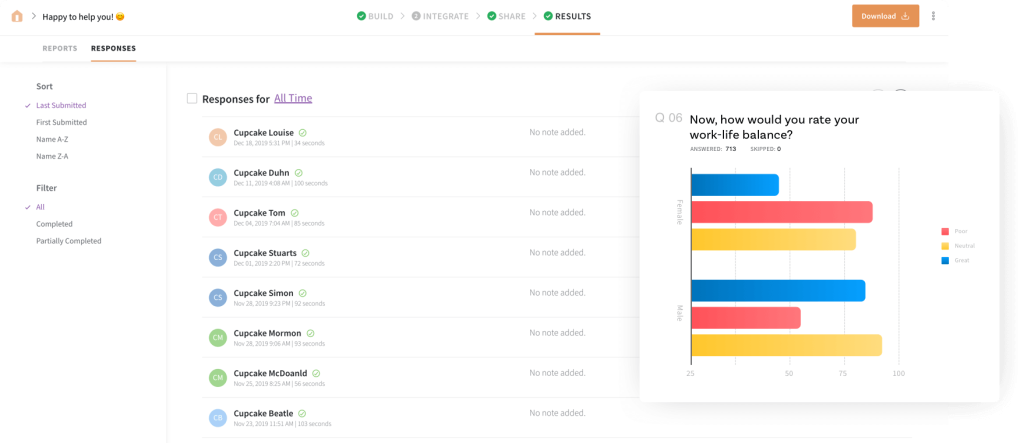
The chat-style layout pushes response rates up noticeably compared to traditional grid-based surveys, and that alone is worth attention if completion rates are a problem in your current program.
The executive dashboard pulls data from all distribution channels into one view, which is the operational piece that most similar tools don’t get right.
For teams managing NPS programs across email, web, and in-app simultaneously, that centralization saves hours of manual aggregation each reporting cycle.
How SurveySparrow Compares to LimeSurvey: LimeSurvey is form-based and static. SurveySparrow delivers a conversational, chat-style experience that feels more natural to respondents, resulting in higher completion rates and better data quality.
Pros:
- Visual editor with 500+ pre-made templates for conversational survey formats
- Centralized dashboard aggregating data from all distribution channels
- Multiple embed options: pop-up, inline, and chatbot
- Real-time reporting and visual dashboards
- Real-time collaboration on dashboards
- Integrations with MailChimp, Slack, and Salesforce
Cons:
- Pricing is not transparent and requires a custom quote
- Advanced logic setup takes time to learn for first-time users
Pricing: From $19/month.
User Rating: 4.4/5 (Capterra)
4. Google Forms – Best For Free and Basic Surveys for Small Teams
I’ve used Google Forms for quick internal polls and one-off feedback collection, and for those use cases, it’s genuinely hard to argue against.
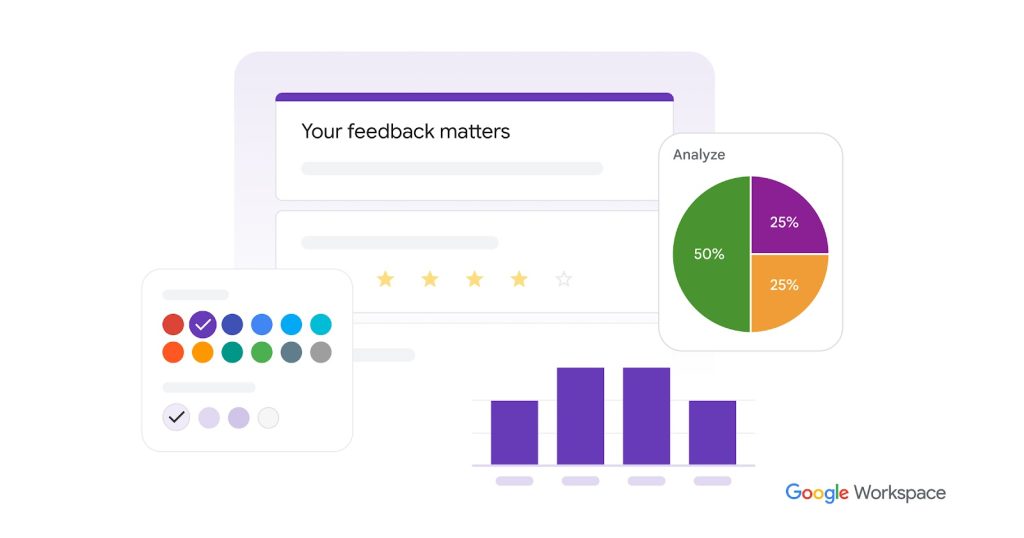
It’s free, works on any device, and if the team already runs on Google Workspace, the export to Sheets for further analysis is seamless.
Where it falls apart is anything beyond basic. Conditional branching is limited, reporting is minimal, and there’s no native NPS or CSAT framework.
Every time I’ve tried to run a structured, recurring survey program on Google Forms, I’ve eventually moved to something more capable.
How Google Forms Compares to LimeSurvey: Both are free, but for opposite reasons. LimeSurvey is free because it’s open-source and self-hosted. Google Forms is free because it’s a lightweight consumer tool. LimeSurvey wins on logic depth and customization. Google Forms wins on zero setup time and zero maintenance.
Pros:
- Completely free with no response limits
- Native Google Workspace integration with real-time export to Sheets
- Supports basic skip logic, multiple question types, and survey scoring
- Simple team collaboration within forms
- Responsive design out of the box
Cons:
- No native NPS, CSAT, or scored survey workflows
- Reporting is basic with no advanced filters or cross-tab analysis
- Limited customization and branding control
Pricing: Free.
User Rating: 4.7/5 (Capterra)
5. SurveyPlanet – Best For Multi-Language Surveys and Simple Ongoing Campaigns
From colleagues running market research across European and APAC markets, SurveyPlanet consistently comes up as a dependable mid-tier option that doesn’t require enterprise commitment.
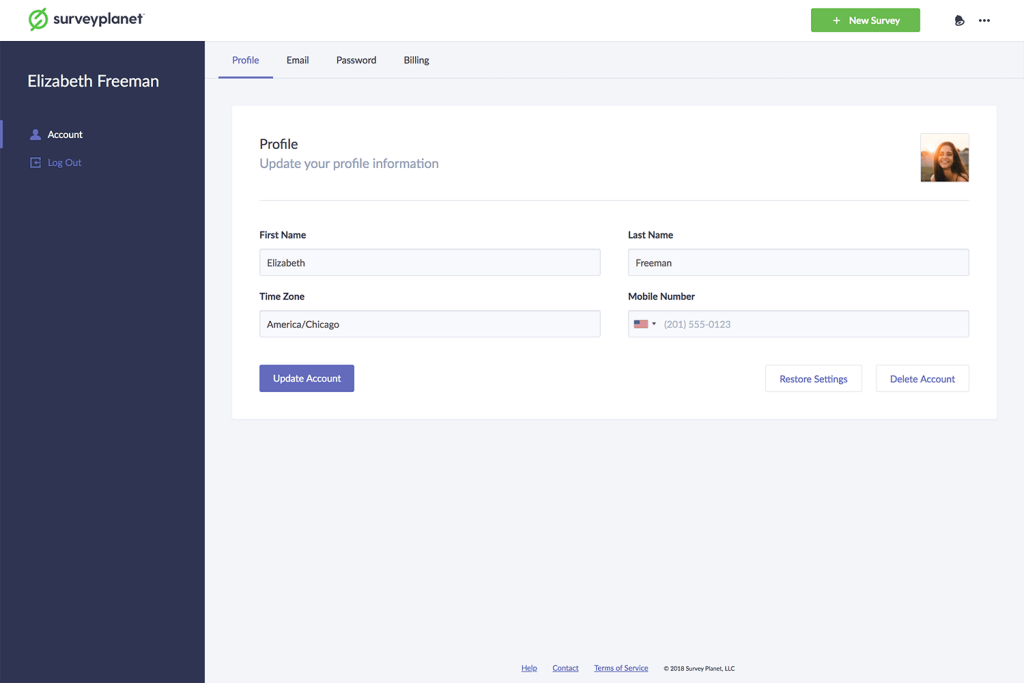
The automatic multi-language support is the feature teams migrating from LimeSurvey for international reach will recognize most immediately.
It’s not the most feature-rich tool on this list, but for teams running straightforward surveys to diverse, global audiences, it covers the core needs without overcomplicating the workflow.
How SurveyPlanet Compares to LimeSurvey: LimeSurvey’s multi-language support is one of its strongest features, and SurveyPlanet matches it reasonably well with 30+ languages. Where SurveyPlanet wins is ease of setup and maintenance: no server, no developer, no ongoing IT overhead.
Pros:
- 100+ question templates and custom themes for fast survey creation
- Multimedia question support to increase respondent engagement
- Native responsive design for mobile, tablet, and desktop
- Supports over 30 languages natively
- Extensive branching and logic controls
- Customizable survey URL for branded link sharing
Cons:
- Paid plans are annual, which limits flexibility for short-term or project-based use
- The integration ecosystem is smaller than enterprise-tier competitors
Pricing: Paid plans start at $20/month.
User Rating: 4.6/5 (Capterra)
6. Cognito Forms – Best For Forms With Payments and E-Signatures
I’ve seen Cognito Forms come up specifically when a team needs more than a feedback survey from a single builder.
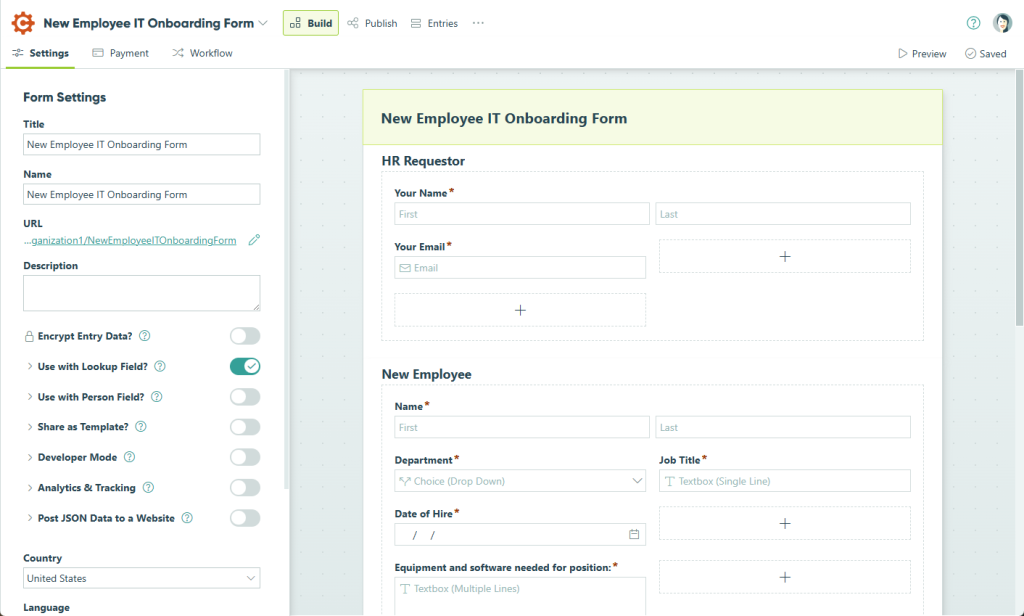
It handles payment forms, lead capture, e-signature collection, and complex conditional workflows without requiring separate tools for each use case.
A team I know running event registrations and paid RSVP flows uses it as their single form layer across everything.
The workflow automation is a real time-saver: automatic response notifications, conditional routing, and Zapier integration for connecting downstream tools.
How Cognito Forms Compares to LimeSurvey: LimeSurvey is a survey-first platform. Cognito Forms is a form-first platform that handles surveys as one use case among many. If your team needs payments, e-signatures, and feedback collected in the same workflow, Cognito Forms covers that without stitching multiple tools together.
Pros:
- Drag-and-drop form and survey builder
- Multi-page forms with response limitations and branching
- Payment form support is built into the platform
- E-signature capture within forms
- Automatic notifications for new form responses
- Integrations with SharePoint and Zapier
Cons:
- Reporting is less advanced than dedicated survey platforms
- Less suitable for recurring NPS or pulse survey programs
Pricing: Paid plans from $19/month.
User Rating: 4.6/5 (Capterra)
7. SurveyLegend – Best For Data Analysis and Visual Reporting Depth
From what teams running market research and product benchmarking have told me, SurveyLegend’s reporting is where it earns its price.
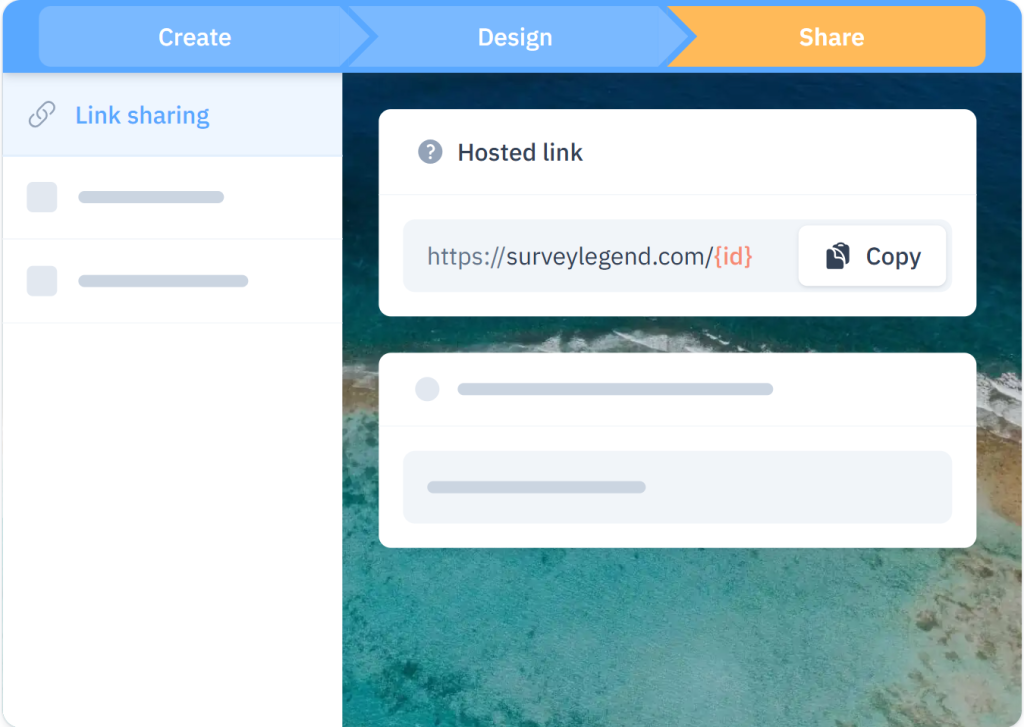
The analytics dashboard offers four or more chart types, filter options, and sorting capabilities that make post-survey data exploration genuinely useful rather than decorative.
I’d recommend it specifically to teams where the reporting step is the current bottleneck, not the survey creation step.
When stakeholders want to slice the data multiple ways without exporting to a separate analytics tool, this is the platform that accommodates that cleanly.
How SurveyLegend Compares to LimeSurvey: LimeSurvey’s reporting output often needs reformatting before it’s usable in a leadership meeting. SurveyLegend’s dashboard delivers filtered, visualized, presentation-ready results directly, which removes a significant amount of manual work from every survey cycle.
Pros:
- In-depth reporting with multiple chart types, filters, and sort options
- Multi-media survey support, including image and video questions
- Supports 30+ languages
- Advanced conditional survey logic
- Anonymous data collection option
- Integrations with Segment, Google Analytics, and Optimizely
Cons:
- Interface can feel dated compared to newer SaaS platforms
- Some features are locked behind higher-tier plans
Pricing: Paid plans from $15/month, billed annually.
User Rating: 4.6/5 (Capterra)
8. Microsoft Forms – Best For Microsoft 365 Teams, Simple Quizzes, and Polls
If an organization already runs on Microsoft 365, Microsoft Forms is already in the stack.
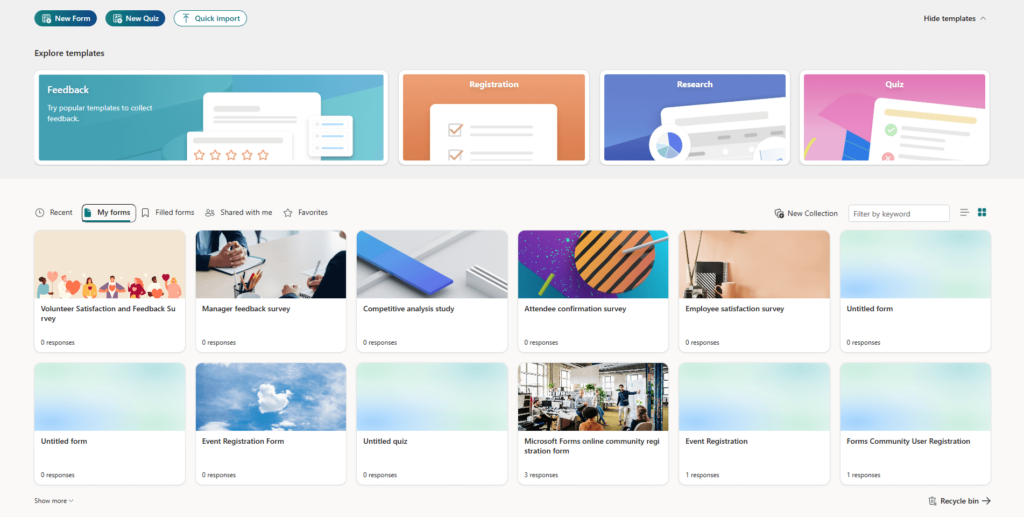
For simple quizzes, feedback surveys, and event registrations that need to feed into Teams, SharePoint, or Excel without adding a new vendor, it covers the basics cleanly.
I’ve seen it work well in enterprise environments where IT governance limits third-party tool adoption.
The Power BI integration is what teams with leadership-level reporting needs will find most useful. It’s not something most standalone tools in this category can match natively.
How Microsoft Forms Compares to LimeSurvey: Both are free within their respective ecosystems. LimeSurvey requires self-hosting and IT management. Microsoft Forms requires a Microsoft 365 subscription but delivers a fully managed, zero-maintenance experience. For teams already paying for M365, it’s effectively a no-cost add-on.
Pros:
- Native integration with Teams, OneNote, Excel, and PowerBI
- Question scoring, progress bar, and randomization options
- QR code sharing and website embed
- Role-based access controls for internal survey security
- Suitable at individual and enterprise scale
Cons:
- Requires a Microsoft 365 subscription starting at $32/user/month
- Limited customization compared to standalone survey platforms
- No native NPS or CSAT scoring framework
Pricing: From 99.99/year.
User Rating: 4.6/5 (Capterra)
9. Paperform – Best For Registrations, Payments, and Feedback in One Tool
I’ve used Paperform for onboarding and registration flows, and the editor experience is one of the most pleasant I’ve worked in.
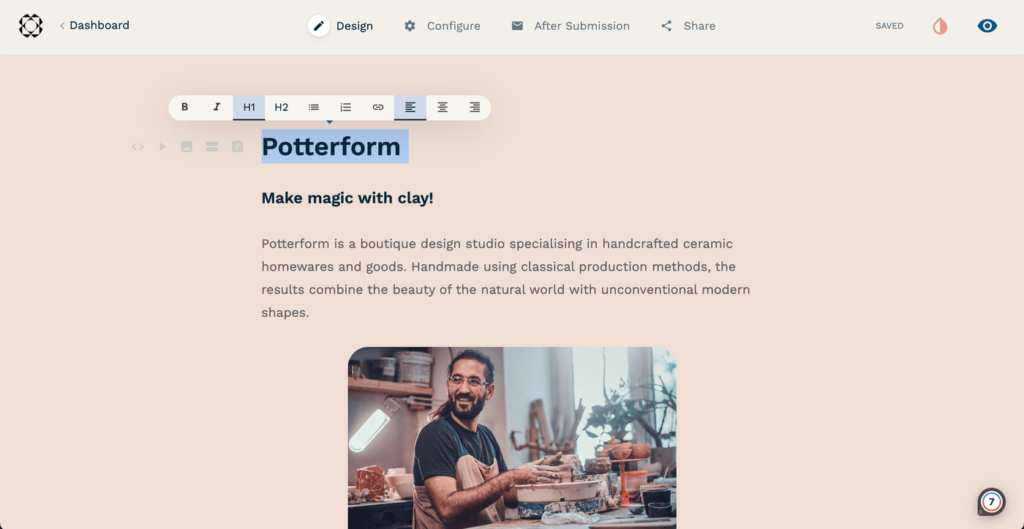
It feels like a document editor rather than a form builder, which lowers the barrier for teams that want polished output without heavy design effort.
A colleague building discovery and feedback flows for a boutique consultancy described it as the form tool that doesn’t feel like a form tool.
It covers feedback surveys, payment collection, bookings, and lead capture in one platform, which removes the overhead of managing separate tools when running lean.
How Paperform Compares to LimeSurvey: LimeSurvey is built for survey depth and logic complexity. Paperform is built for versatility and ease of creation. If your team needs beautiful, multi-purpose forms deployed quickly without any server setup or coding, Paperform is the faster, cleaner path.
Pros:
- WYSIWYG editor with a document-like creation experience
- Large template library covering onboarding, lead gen, feedback, and bookings
- Payment form support built in
- Custom conditional logic rules
- Built-in collaboration and workflow automation
- Integrations with ActiveCampaign, Slack, and Trello
Cons:
- Less suitable for large-scale, recurring survey programs
- Analytics depth is limited compared to dedicated survey platforms
Pricing: From $24/month.
User Rating: 4.8/5 (Capterra)
10. Zoho Survey – Best For Mid-Market Research and Zoho Ecosystem Users
From conversations with teams running Zoho CRM alongside their survey programs, the native data flow between Zoho Survey and other Zoho products is the primary reason they choose it over tools at this price point.
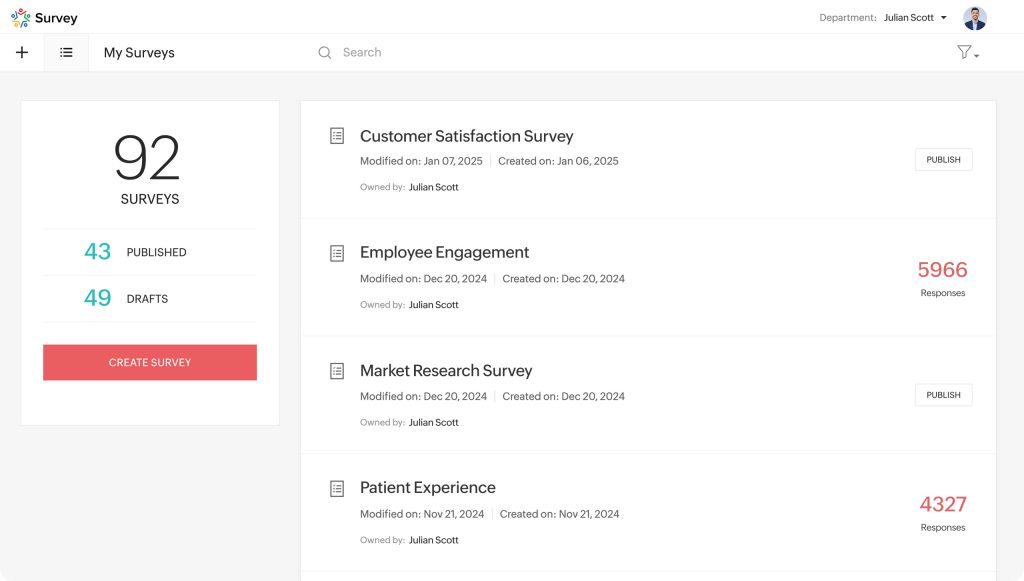
The cross-tab reporting and trend analysis features are more advanced than most tools in this tier.
The dedicated audience panel feature is particularly worth noting, especially for research programs that demand precise targeting. It provides a built-in solution tailored to the needs of professional researchers and campaign managers.
Reaching a defined demographic is part of the campaign requirement and does not need to be solved with a separate tool.
How Zoho Survey Compares to LimeSurvey: LimeSurvey offers more raw customization and control over hosting. Zoho Survey gives you a cleaner interface, a richer reporting layer, and native integration with a broader business tool ecosystem, all without any server management.
Pros:
- 25+ question types, including scoring, piping, and response limiters
- 200+ templates covering customer, employee, and market research use cases
- Cross-tab and trend reporting out of the box
- Supports 30+ languages
- Password-protected surveys
- Integrations with MailChimp, Zapier, and Google Drive
Cons:
- Interface is less intuitive than newer SaaS alternatives
- Full feature set only unlocks on higher-tier plans
Pricing: Paid plans from $7.23/month.
User Rating: 4.6/5 (Capterra)
My Top 3 Picks Among These LimeSurvey Alternatives
After working with several of these tools directly and speaking with teams using the rest in production, here’s where I actually land.
1. ProProfs Survey Maker
This is the tool I recommend first to any team that wants serious survey capability without a serious learning curve. The AI builder, scored survey workflows, and 70+ language support address the three most common reasons I’ve seen teams outgrow LimeSurvey. If you’re migrating from a per-user-licensed enterprise tool or a self-hosted open-source setup, this is where I’d start the evaluation.
2. SurveySparrow
For CX teams and business owners who are losing responses due to survey fatigue. The conversational format consistently outperforms traditional grid-based surveys on completion rates, and the centralized dashboard makes multi-channel NPS and CSAT programs significantly easier to manage. If your current tool produces surveys that feel like forms, SurveySparrow is the clearest upgrade.
3. SurveyPlanet
For HR leads and research teams running multi-language campaigns who don’t need enterprise pricing or enterprise complexity. It handles international reach cleanly, and the annual plan keeps costs predictable for ongoing programs. I’ve pointed teams toward it specifically when language coverage is the primary requirement and budget is tight.
How I Evaluated These LimeSurvey Alternatives
I didn’t want this to be a list that looks credible in a comparison table but falls apart the moment you try one. Here’s exactly what shaped my assessments.
Feature Testing and Usability Analysis: I evaluated each tool on the features that matter for real survey workflows: conditional logic depth, question type range, distribution options, reporting clarity, and mobile responsiveness. For tools I used directly, I built and launched actual surveys rather than just exploring the interface.
Verified User Reviews: I pulled Capterra ratings and read through both positive patterns and recurring complaints to surface what users actually experience after months of use, not just during onboarding demos.
Pricing Transparency: I assessed the real cost at realistic usage volumes, including response caps, per-user fees, and paywalled features. A tool that looks affordable but charges per channel or per seat at scale is not affordable once you’re running at capacity.
Support and Onboarding Quality: For mid-market buyers, implementation support is part of the total cost of switching. I factored in documented response times and the patterns in user complaints about resolution speed.
Integration Depth: Whether a tool connects to the CRMs, marketing automation platforms, and analytics tools a team already uses determines how well it fits into a real workflow rather than sitting as an isolated island.
Feedback Metric Coverage: I specifically checked whether each tool supports Net Promoter Score (NPS), Customer Satisfaction Score (CSAT), and Customer Effort Score (CES) natively. Most professional survey programs are built around at least one of these frameworks, and a tool that requires workarounds to run them creates ongoing friction.
FREE. All Features. FOREVER!
Try our Forever FREE account with all premium features!
When Should You Switch From LimeSurvey?
LimeSurvey earns its place if your team has IT capacity, tolerates a learning curve, and needs maximum self-hosted control. Outside of that, here’s a framework I use to help teams decide when it’s time to move on.
| Your Situation | What to Look For |
| Non-technical team struggling with setup | SaaS tool with drag-and-drop builder, no hosting required |
| Need NPS, CSAT, or CES out of the box | Platform with pre-built feedback templates and native scoring |
| Running surveys across email, web, and app | Multi-channel distribution managed from one dashboard |
| Respondents primarily on mobile | Mobile-responsive design with native in-app survey support |
| Need to report results to leadership quickly | Real-time dashboards with exportable, presentation-ready reports |
| Global surveys in multiple languages | 30+ language support built into the platform, not an add-on |
| Budget is the constraint | Generous free plan or per-response pricing at small volumes |
| Data security and compliance are non-negotiable | GDPR-compliant, SSO-enabled tools with role-based permissions |
How to Choose the Right LimeSurvey Alternative for Your Team
Start with your primary constraint, not your wish list. The tool that fixes your actual bottleneck is better than the tool with the longest feature page.
| If My Primary Problem Is… | I’d Start Here |
| Setup takes too long and needs a developer | ProProfs Survey Maker |
| I’m guessing why users churn or drop off | Qualaroo |
| Reporting is too basic for my stakeholders | SurveyLegend |
| I need NPS and CSAT workflows built in | ProProfs Survey Maker |
| My surveys need to work in 30+ languages | SurveyPlanet |
| My team is already in the Microsoft 365 ecosystem | Microsoft Forms |
| I need payments and surveys in one tool | Cognito Forms or Paperform |
| I want conversational, high-response surveys | SurveySparrow |
| I need in-product behavioral feedback | Qualaroo |
| I’m a Zoho ecosystem user | Zoho Survey |
The Right Tool Is the One Your Team Can Actually Run
Every tool on this list does something well. The decision comes down to which one removes the friction that’s slowing your specific program down.
If you’re not sure where to start, I’d try ProProfs Survey Maker first. The forever-free plan includes all premium features: AI survey creation, skip logic, scoring, and multilingual support, with no credit card required.
It’s the fastest way to see whether a LimeSurvey replacement actually fits your workflow before committing to a paid plan.
Frequently Asked Questions
What is the best free alternative to LimeSurvey?
ProProfs Survey Maker offers a forever-free plan with all premium features included, covering unlimited surveys and up to 50 responses per month. Google Forms is also free with no response limits, but it lacks NPS, CSAT, and score survey workflows. Qualaroo also has a free plan for teams that need in-context website or product feedback.
Which survey tools are easier to use than LimeSurvey?
Most SaaS-based alternatives require no server setup, hosting, or coding knowledge, which is the biggest usability gap LimeSurvey has. ProProfs Survey Maker, Qualaroo, SurveySparrow, and Paperform all have drag-and-drop or document-style editors that let non-technical users go from idea to live survey in under 20 minutes.
Which LimeSurvey alternative is best for customer feedback surveys?
Qualaroo is my first pick for in-context customer feedback. It captures responses while users are actively engaged with a product or site, which produces sharper data than any post-session survey format. For structured NPS or CSAT programs at scale, ProProfs Survey Maker delivers pre-built templates, automatic scoring, and real-time dashboards built specifically for customer feedback workflows.
Why do businesses look for LimeSurvey alternatives?
The most common reasons I've encountered are: the complexity of setup and customization without developer support, server maintenance overhead for self-hosted instances, limited built-in NPS and CSAT frameworks, and the absence of AI-powered survey creation. Teams scaling past basic research use cases consistently find that SaaS alternatives deliver more with less maintenance.
Which survey platforms compete with LimeSurvey on data control and security?
ProProfs Survey Maker covers GDPR compliance, SSO via SAML, IP blocking, and role-based permissions, which addresses the governance requirements most mid-market and enterprise teams I've worked with actually need. For teams with strict data residency requirements, enterprise-tier platforms exist but come at a significantly higher price point.
What is the best LimeSurvey alternative for NPS surveys?
ProProfs Survey Maker has a dedicated NPS module with automatic scoring, follow-up scheduling, and pre-built NPS templates. The Salesforce and HubSpot integration closes the loop between survey responses and CRM records, which is critical for teams running NPS as part of an active customer success program rather than a one-time check-in.
Which survey tools support multiple languages like LimeSurvey?
LimeSurvey supports 80+ languages, which is one of its genuine strengths. Among the alternatives I've evaluated, ProProfs Survey Maker leads with 70+ languages. SurveySparrow, SurveyPlanet, SurveyLegend, and Zoho Survey each support 29 to 30+ languages. If global reach is a core requirement, ProProfs Survey Maker has the widest coverage of any tool on this list.
How long does it take to switch from LimeSurvey to a SaaS alternative?
Most teams complete the switch in one to two weeks. That covers exporting existing survey structures, recreating them in the new tool, and verifying distribution and reporting setups. SaaS tools like ProProfs Survey Maker and Qualaroo require no server migration or hosting configuration, which removes the most time-consuming step in any LimeSurvey migration.
FREE. All Features. FOREVER!
Try our Forever FREE account with all premium features!

 We'd love your feedback!
What did you like & how can we make it even better?

 Thanks for your feedback!
 Ask Your Question
Have a question? Get expert help to make your decision easier.